VULT is now live on iPhoneDownload on the App Store

VULT FEATURES

A serious budget app that does not feel like homework.

Keep everyday money moves quick, then go deeper into the plan, receipt, debt or chart when the detail is actually useful.
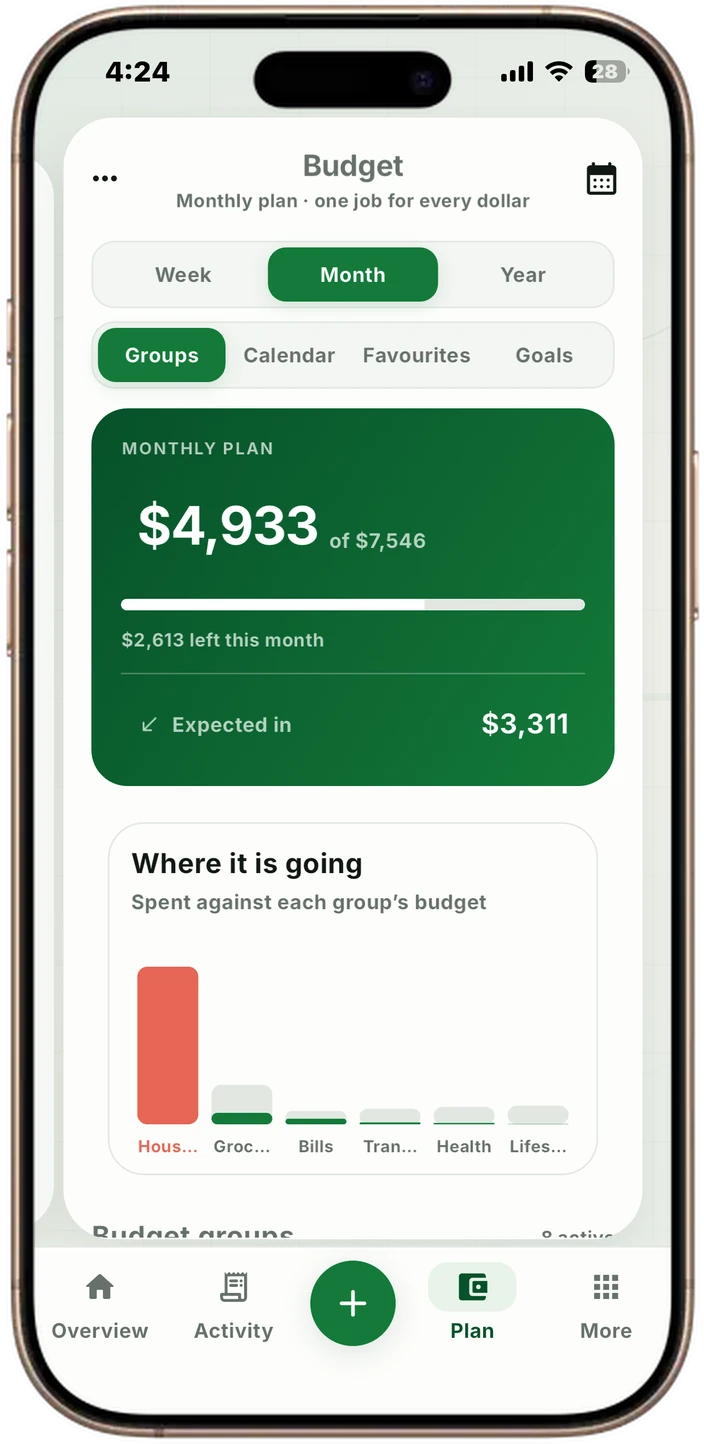
VULT budget with spending groups and progress
Make a plan.Built around your payday.
Keep it current.Enter, scan or import.

YOUR MONEY, CONNECTED

MORE WAYS TO STAY ON TOP OF IT

From the first expense
to the next good habit.

FINANCE MANAGERFORTNIGHTLY BUDGETSRECEIPT INBOXPDF MONEY REPORTSHOUSEHOLD BUDGETS
01 · FLEXIBLE BUDGET PLANNER

A budget built around the way you are paid.

Plan by week, fortnight, month or year, then organise the detail into groups and line items that make sense to you. VULT gives structure without forcing everyone into the same template.

Explore feature →
VULT budget screen with coloured groups, line items and progress bars
02 · RECEIPT SCANNER

Scan the receipt. Keep the useful detail.

Scan a receipt into an editable transaction, check the merchant and total, and keep the item detail for a clearer view of your spending.

Explore feature →
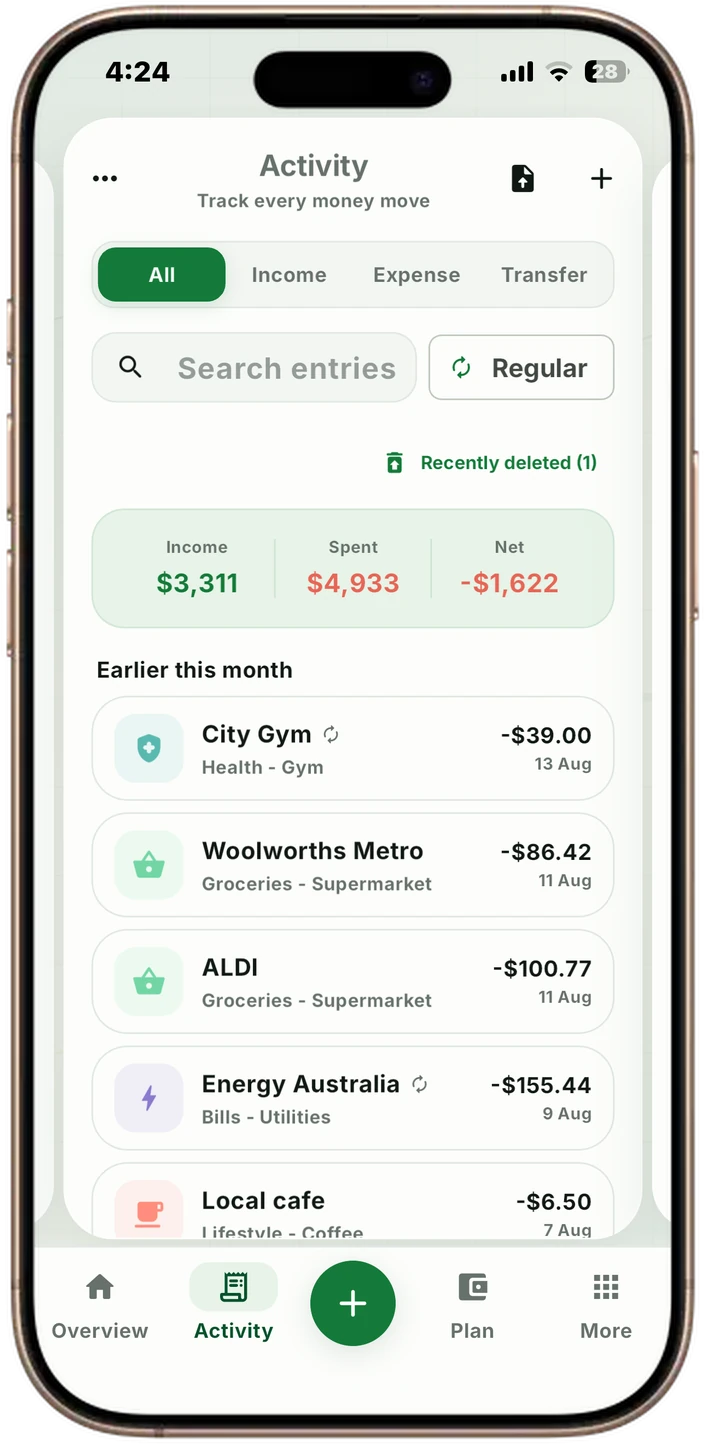
VULT activity screen showing organised transactions and recurring entries
03 · PDF AND CSV IMPORT

Import a statement, and check it landed.

VULT reads a PDF or CSV statement as the table it is, then checks the result against the statement's own closing balance, so a short import is reported.

Explore feature →
VULT activity screen showing an organised, imported transaction history
04 · DEBT PAYOFF PLANNER

Turn a debt total into a path back to zero.

Compare avalanche, snowball and your own payoff order, then see the projected time and interest instead of choosing a strategy by name alone.

Explore feature →
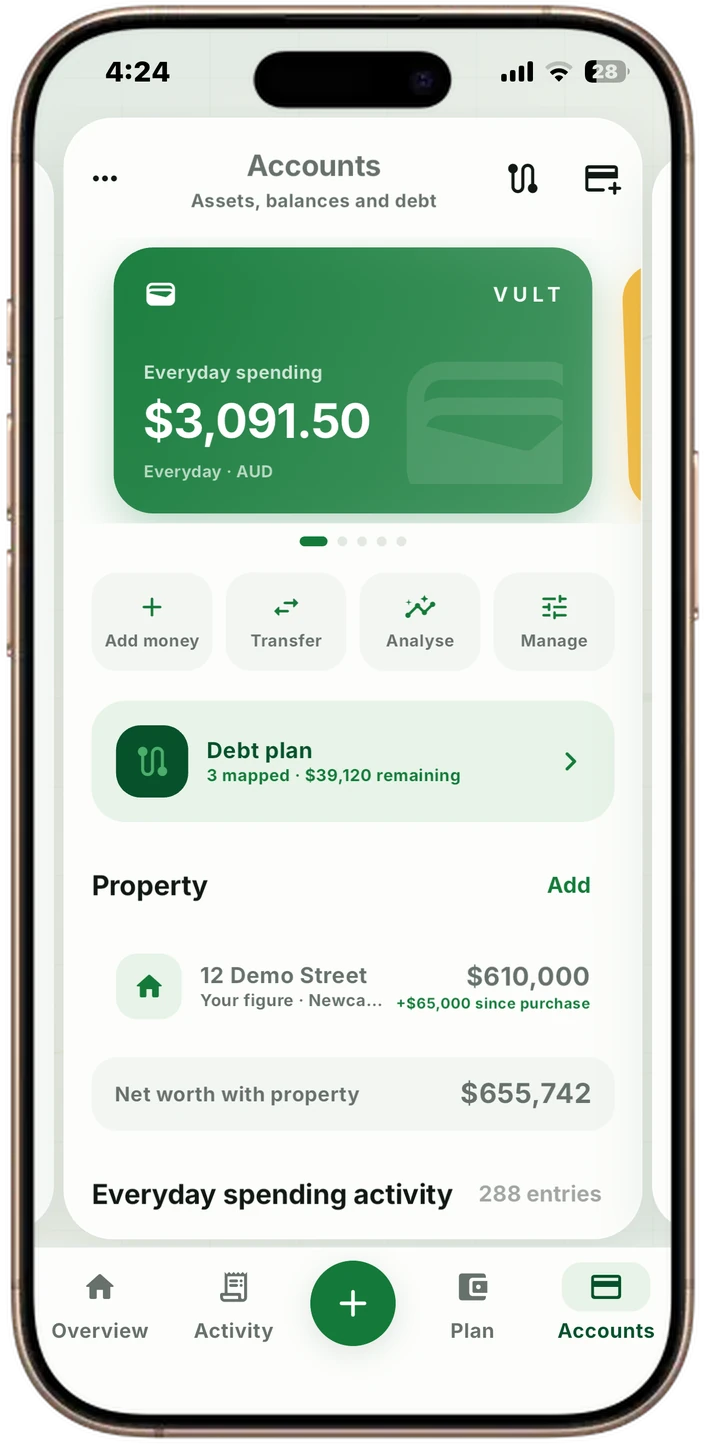
VULT accounts screen showing balances, property and an active debt plan
05 · SAVINGS GOALS

Give the next dollar somewhere useful to go.

Set a target, link it to the accounts you track in VULT and see your progress as you save.

Explore feature →
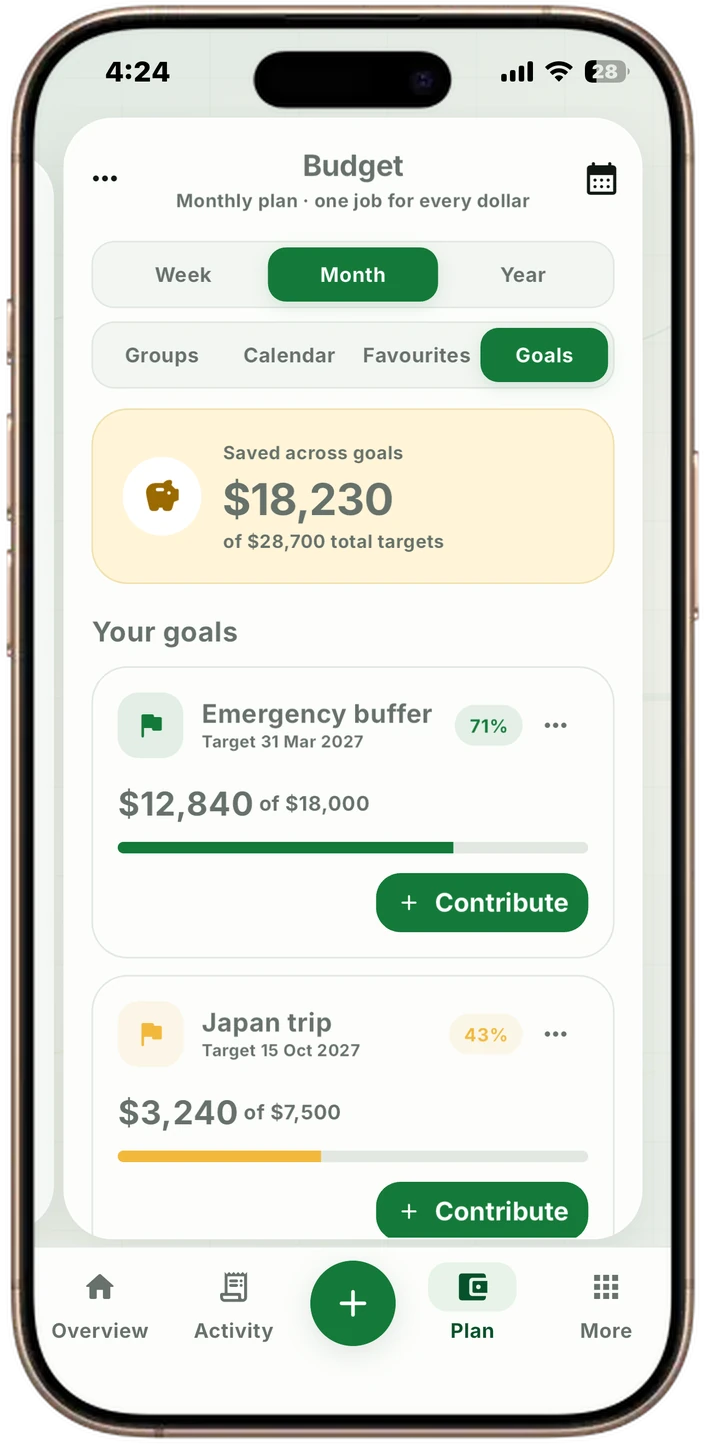
VULT savings goals screen with targets and progress
06 · EXPENSE AND SPENDING TRACKER

See the pattern behind the total.

Log a move quickly, then explore spending by budget group, line item, receipt group or product. VULT keeps the simple answer first and the deeper answer close by.

Explore feature →
VULT analytics screen with category composition and spending detail

EXPLORE VULT

Your money.
All in one place.

See how your budget, spending and savings goals fit together. Choose a feature to take a closer look.

Shown with sample amounts.

VULT / OVERVIEW
VULT overview screen
Your whole picture. At a glance.

Your whole picture. At a glance.

Money in, money out and what is left to spend, together with your spending breakdown.

Explore the feature

THE COMPLETE WORKSPACE

One product, four useful jobs.

Plan your budget, record purchases, understand your spending and keep building the habit.

01

Plan

  • Weekly, fortnightly, monthly and yearly budgets
  • Custom groups, lines, colours and rollovers
  • Recurring expenses, income and transfers
  • Upcoming-money calendar
02

Track

  • Quick expense, income and transfer entry
  • Recent-move shortcuts
  • Receipt scanning and item allocations
  • PDF and CSV statement import
03

Understand

  • Cumulative spending and projections
  • Cash flow and income rhythm
  • Wealth and net position
  • Group-to-product drill-down
04

Keep going

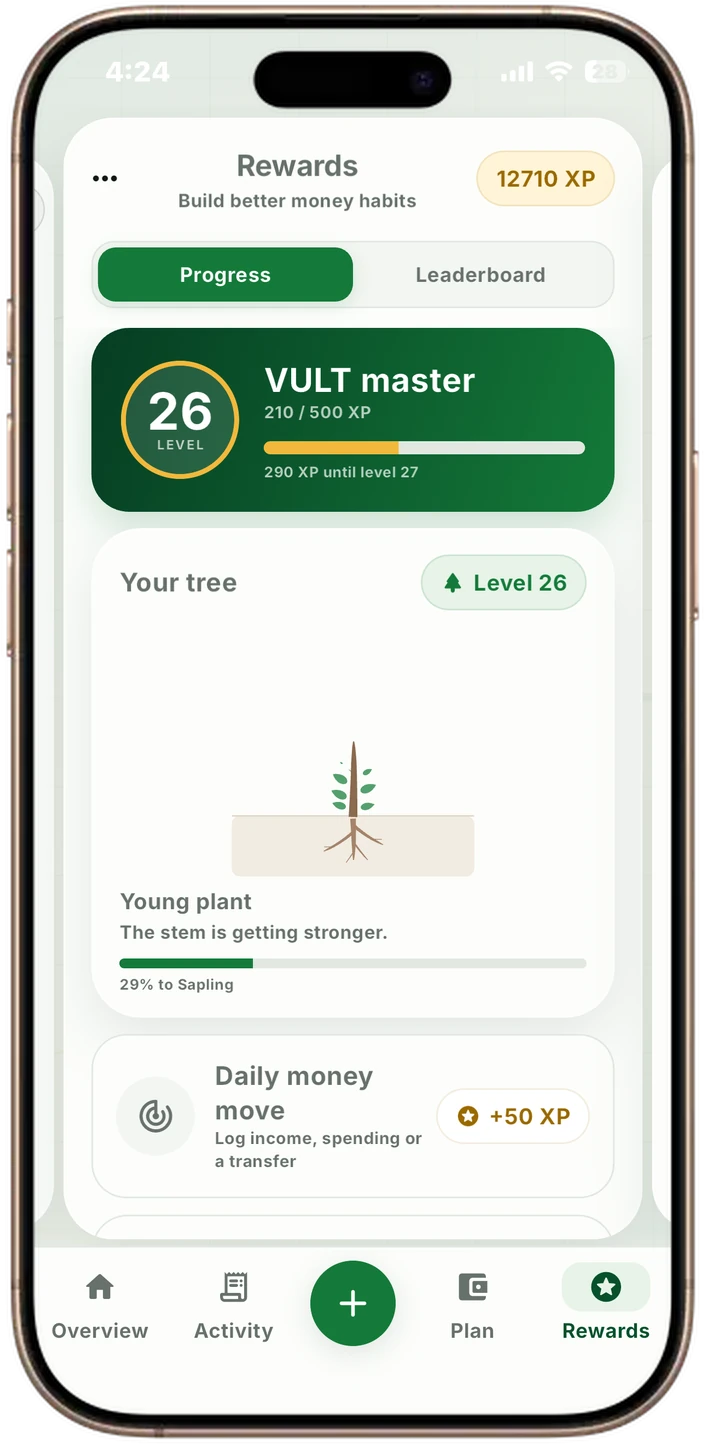
  • XP, levels and achievements
  • Money Checks about your own figures
  • Streaks and a 60-stage tree
  • Private household budgets and chat

FINANCE MANAGER

Ask your budget a question.

Ask about spending, cash flow, goals or debts, get help finding a feature, or ask about a selected purchase. Finance Manager uses the information saved in VULT and adds a chart when it helps.

How to use it

  1. Open More → Chat → Finance Manager, or Chat in the desktop navigation.
  2. Ask a question or use @manager in a household conversation.
  3. For an expense or income draft, choose Review and add. Check or edit the details before saving.

Your private thread keeps the latest 60 messages and up to 12 remembered preferences, goals, routines or constraints. Start a fresh thread to clear both. Private memory stays out of household chats.

Signed-in members get 30 successful replies per local day. AI responses can be wrong; check the figures. General information only, not personal financial, tax, credit or investment advice.

FORTNIGHTLY BUDGETS

Make payday the starting point.

Choose a weekly, fortnightly, monthly or yearly plan. For a fortnightly budget, set your payday anchor so the plan follows your pay cycle rather than the start of the month.

How to use it

  1. Set your budget period and fortnightly payday anchor in settings.
  2. Use Plan for budget groups, line items, goals, debts and the bill calendar.
  3. Choose whether recurring entries post automatically with Auto-post.

Recurring entries are records in your budget. VULT does not move money between bank accounts.

RECEIPT INBOX

Capture now. Check the details later.

Open Add, choose Expense, then Scan a receipt. Use Camera or Photo, review the merchant, date, total and items, and correct anything before saving. Receipts captured for later wait in the Receipt inbox on Overview.

How to use it

  1. Capture the whole receipt.
  2. Return to Overview → Receipt inbox to review a pending receipt.
  3. Check the recognised details and save or dismiss it.

Processing depends on the platform and scan flow. Cloud-assisted and onboarding scans can send receipt images for processing; see the privacy information.

PDF MONEY REPORTS

Take the bigger picture with you.

Export a PDF with this month’s money in, money out and net flow, a spending breakdown, six months of cash flow and budget progress. The report also includes accounts, goals, recurring money, debts, transactions and receipt items.

How to use it

  1. Open Profile and find the export controls.
  2. Choose PDF for a visual money report or CSV for spreadsheet work.
  3. Review the file before sharing: it contains your financial information.

Exports reflect the entries saved in VULT. They are not certified accounting or tax reports.

HOUSEHOLD BUDGETS

Keep the conversation with the budget.

Invite someone to a shared household budget. Once they accept, you work from the same live plan and can keep comments attached to a purchase, rather than losing the context in a separate chat.

How to use it

  1. Use Chat to invite someone to share a budget.
  2. Discuss a money move from its linked conversation.
  3. Ask @manager a question when you want help understanding the shared plan.

Finance Manager shares its 30-successful-replies-per-local-day allowance across private and household questions. Private Manager memories are not included in household replies.

CLEAR BOUNDARIES

What VULT is not.

Not a bank feed

VULT does not connect to financial institutions or ask for online-banking credentials.

Not a credit score

The VULT Financial Score is an informational budgeting indicator, not a credit-bureau score.

Not financial advice

Plans, estimates and projections are general tools that rely on the information you enter.

YOUR MONEY, ORGANISED

Make your money easier to return to.

Build the plan, see the pattern and keep the useful habits moving.